

Top 7 Spotify to WAV Converters: 2026 Full Guide
For music lovers who demand pristine audio quality, streaming platforms often fall short because their offline tracks remain locked within apps, leaving you unable to truly own or freely use your favorite songs. Whether you're a DJ preparing a set, a video editor sourcing soundtracks, or simply an audiophile building a personal lossless library, the need to export Spotify playlist to WAV is pressing. That's where a reliable Spotify music converter comes in. In this guide, we've tested the top Spotify to WAV converters so you can enjoy CD-quality or lossless audio without compromise.
Part 1. Why Do You Need a Spotify to WAV Converter?
Spotify's offline tracks are encrypted and tethered to your subscription. They vanish when you cancel, and they can't be opened in editing software, DJ gear, or standalone players. To truly own and repurpose your music, you need to extract it into a real, portable file.
Among all formats, WAV offers practical advantages here. It stores raw, uncompressed PCM data, preserving every nuance of the original master without any lossy compression. MP3 may save space, but it throws away subtle frequencies. FLAC is lossless yet compressed, which adds decoding complexity and isn't supported by every device. WAV, however, is the universal standard for studios, live performance rigs, and video suites, offering pristine, edit-friendly audio that works anywhere, anytime, with zero compromise. That's why any serious Spotify music converter worth its salt puts WAV front and center.
| WAV | MP3 | FLAC | |
|---|---|---|---|
| Compression Type | Uncompressed | Compressed | Compressed |
| Fidelity | Loss free | Lossy | Loss free |
| Quality | 24‑bit / 192 kHz | 320 kbps, 48 kHz | 24‑bit / 192 kHz |
| File Size | Large | Small | Medium |
| Compatibility | Near‑universal | Universal | Wide but not all |
| Best For | Professional editing, live performance | Casual listening, portable storage | Archiving, home streaming |
Part 2. Best Spotify to WAV Converters We Tested
Now that we understand why WAV is the go‑to format for professionals and audiophiles, let's dive into the best Spotify to WAV converters we've tested.
1. Tidabie Music Go – Best Spotify Music Converter for Lossless WAV
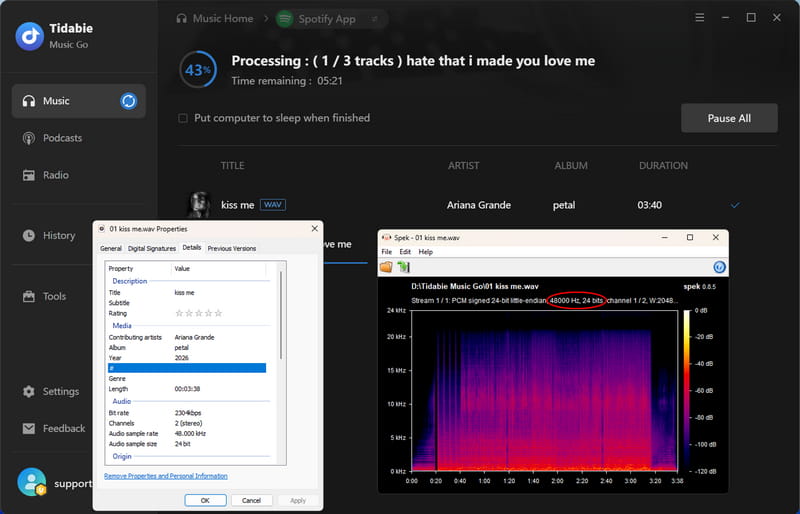
Tidabie Music Go is a desktop application designed to download and convert audio from Spotify and other streaming services into standard local formats like WAV, FLAC, MP3, AAC, ALAC, and AIFF. As a reliable Spotify to WAV downloader, it supports batch downloading of entire playlists, albums, and podcasts at up to 40x speed and preserves the original audio quality of the source tracks. It also retains full ID3 tags, including title, artist, album, and cover art, so your downloaded music stays properly organized in any media library.
How to Use Tidabie Music Go to Convert Spotify to WAV?
Step 1. Open Tidabie and select "Spotify" from the "Music" source. Log in to your Spotify account through the built‑in app or web player.
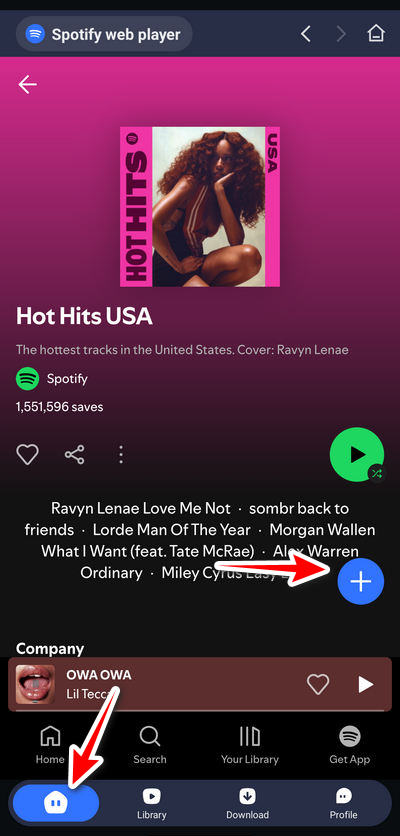
Step 2. Navigate to a song, playlist, or album and click the "+ (Click to add)" button to add it to your task list. Select the specific tracks you want, then click "Add" to confirm.
Step 3. Click the "Settings" button and choose "WAV" as the output format. You can also adjust bit rate, sample rate, output file name, and output folder if needed.
Step 4. Close the settings window and click "Convert". The Spotify to WAV download process begins, and the output folder will automatically open when finished. You can also check them in the "History" tab.
2. TuneCable Spotify Downloader – Fast Spotify to WAV Downloader for Windows, Mac & Android
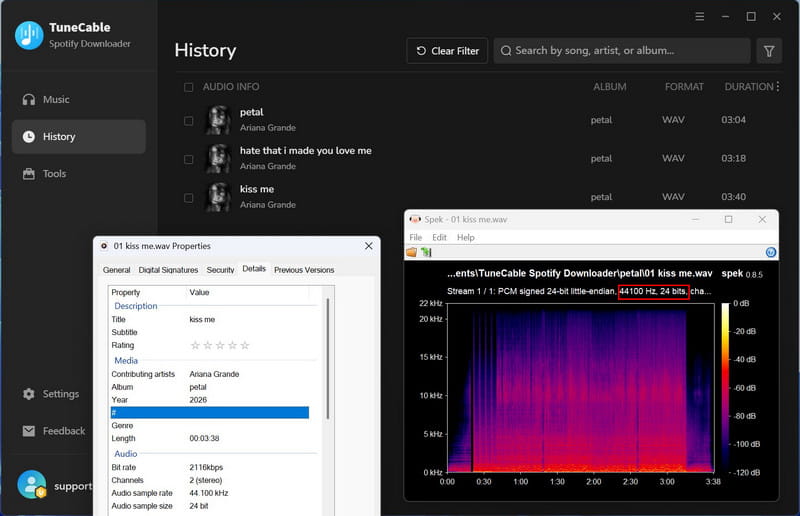
Available on Windows, Mac, and Android, TuneCable Spotify Downloader is a dedicated tool built to extract Spotify audio at up to 40x speed. It supports WAV along with other formats, with adjustable sample rates up to 192kHz and 24‑bit depth. ID3 metadata, including title, artist, album, and cover art, is fully retained, and batch processing handles entire playlists or albums in one go.
How to Use TuneCable Spotify Downloader to Convert Spotify to WAV?
Step 1.Launch TuneCable and select "Spotify App" or "Spotify web player" from the top bar, then log in to your Spotify account.
Step 2.Find any track, playlist, or album, and click the "+" button or drag and drop it into the converter. A pop-up window will appear. Then select the tracks you need and click "Add".
Step 3.Open "Settings" from the sidebar and choose "WAV" as the output format.
Step 4.Click "Convert" to start downloading. The selected tracks will be saved to your local folder in WAV format.
How to Use TuneCable Spotify Downloader On Android?
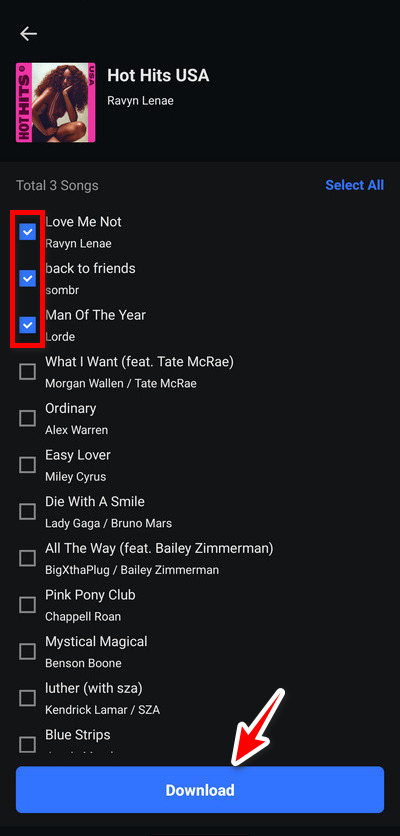
Step 1.Open TuneCable on your Android device and log in to your Spotify account.
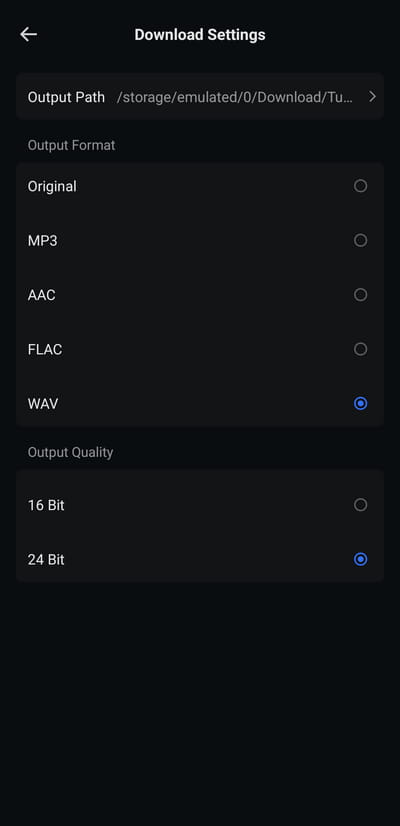
Step 2.Go to Profile > Download Settings to choose WAV as the output format and adjust quality or folder organization as needed.
Step 3.Browse music via the built‑in Spotify player, tap the "+" icon on any track or playlist, select the songs you want, and confirm to start downloading.
Step 4.Once finished, all saved WAV files are accessible under the "Library" tab for offline playback.
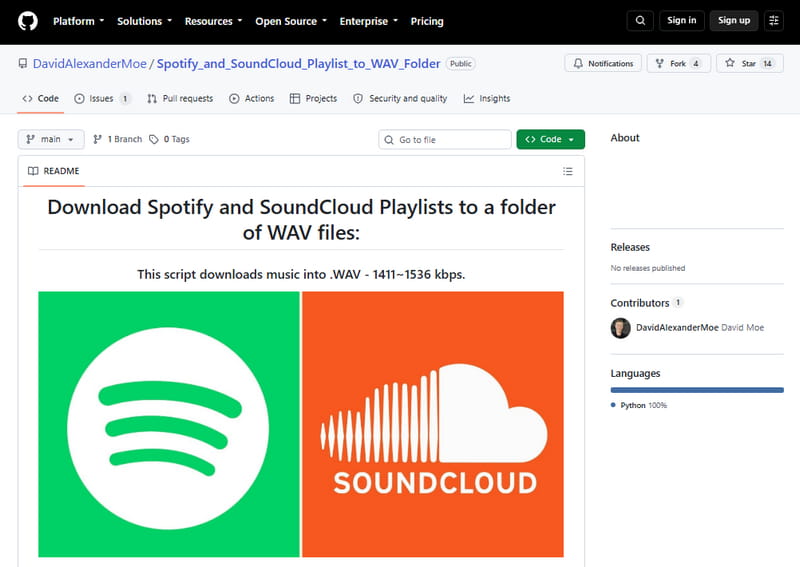
3. Spotify_and_SoundCloud_Playlist_to_WAV_Folder – Free Open Source Spotify to WAV Python Script
Spotify_
Step 1. Install FFmpeg on your system.
Step 2. Go to the Spotify Developer Dashboard, create a new app, and copy your Client ID and Client Secret.
Step 3. Open the terminal in the project folder and run python downloader.py.
Step 4. When prompted, enter your Spotify playlist URL, your Spotify username, and the Client ID / Secret you saved.
Step 5. The script will start downloading each track as WAV into a folder with the playlist name.
4. Spytify – Free Spotify to WAV Recorder for Windows PC
Spytify is an open-source, Windows-based Spotify recorder that captures audio directly from the Spotify desktop app and saves it as WAV or MP3 files. It automatically splits recordings into individual tracks, removes ads, and adds metadata like artist names, track titles, and album covers. Unlike playlist downloaders that pull tracks from YouTube with inconsistent quality, Spytify records the exact Spotify output, ensuring your files match the official releases.
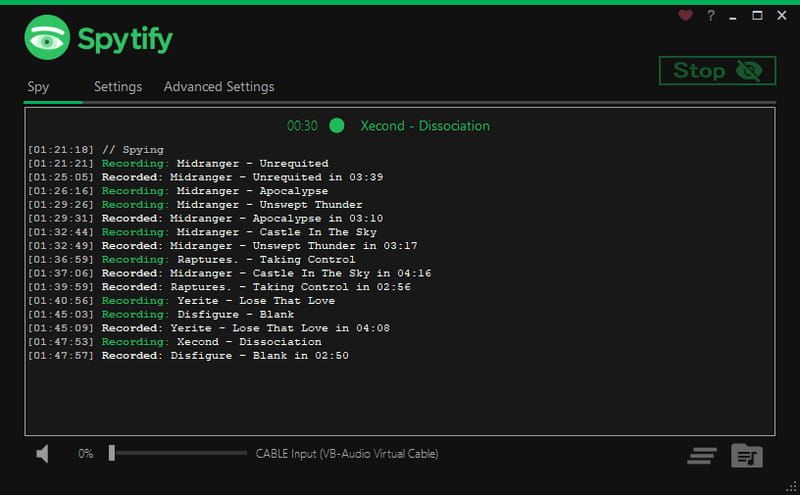
Step 1. Download and install Spytify from the releases page. Ensure you have .NET Framework 4.6.1 or higher installed.
Step 2. Install the Virtual Audio Cable (optional but recommended) using the Speakers+ icon in Spytify settings to improve recording quality and isolate Spotify audio.
Step 3. Launch Spotify and log in with your account.
Step 4. Open Spytify and select WAV as your output format and desired quality.
Step 5. Start playback of your playlist or album in Spotify.
Step 6. Click "Record" in Spytify and let it run. For long playlists, it's best to leave it overnight.
Step 6. Stop recording when finished. Spytify will automatically split the captured audio into individual tracks, add metadata, and save them to your designated folder.
5. SpotiLab – Free Online Spotify Link to WAV Converter
SpotiLab is a web‑based Spotify downloader that converts tracks, albums, and playlists to WAV, MP3, or lossless FLAC without registration or daily limits. It has processed over 1 million downloads with a 4.9 user rating. However, in our testing, downloads occasionally get stuck at 95% and fail to complete.
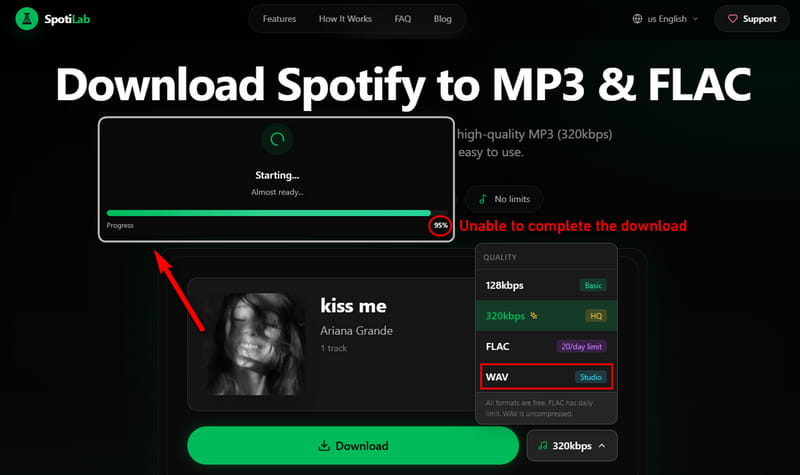
Step 1. Copy the URL of any Spotify track, album, or playlist.
Step 2. Paste the URL into the SpotiLab input field.
Step 3. Choose WAV as your output format.
Step 4. Click the download button and wait for processing to complete.
6. ConverterFactory
ConverterFactory is an online conversion tool that supports Spotify to WAV conversion directly in your browser. It is designed for quick, single‑track conversions without installing any software. That said, our testing frequently showed an "URL is not supported" error message when attempting to convert Spotify links.
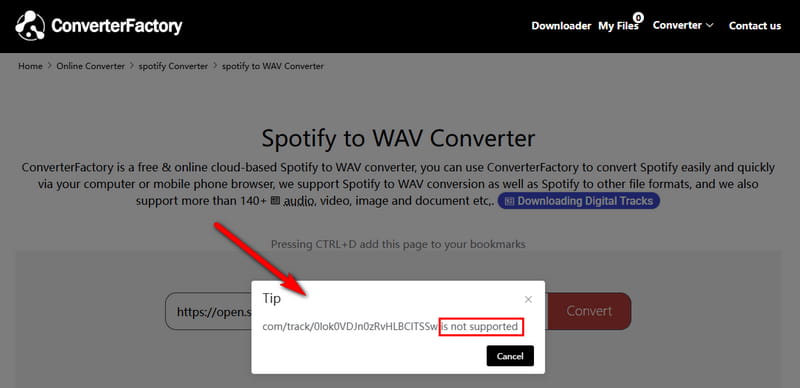
Step 1. Navigate to ConverterFactory's Spotify to WAV page.
Step 2. Copy a link from Spotify and paste it into the input field.
Step 3. Click the convert button to start processing.
7. Soundverter
Soundverter is a dedicated Spotify link to WAV downloader available as both a web version and a free desktop app. The web version handles single tracks, while the desktop app manages batch processing and entire libraries. In our experience, the free web version only converts Spotify to WAV files with a paid account. The Pro plan is required to unlock Spotify sources in the desktop app.
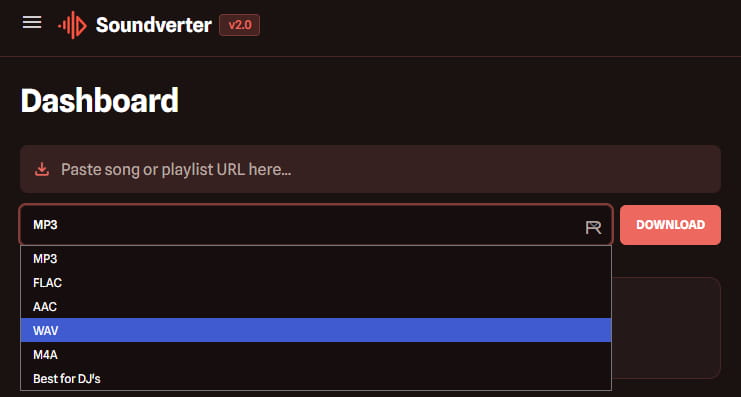
Step 1. Open and sign in to Soundverter.
Step 2. Copy the link to your Spotify track or playlist and paste it into Soundverter.
Step 3. On the right, choose WAV as the format. You will be prompted to purchase a plan. Choose one to proceed.
Step 4. Click the download button to start processing.
Part 3. Comparison: Which Spotify WAV Downloader Should You Choose?
Before choosing, here's a quick comparison of all 7 Spotify link to WAV converters to help you decide which one fits your needs best.
| Compatibility | Supported Services | Conversion Speed | Batch Download | Audio Quality | Security | Success Rate | |
|---|---|---|---|---|---|---|---|
| Tidabie Music Go | Win, Mac | 15+ services | 40x | √ | up to 24‑bit/ |
⭐⭐⭐⭐⭐ | 99% |
| TuneCable Spotify Downloader | Win, Mac, Android | Spotify | 40x | √ | up to 24‑bit/ |
⭐⭐⭐⭐⭐ | 99% |
| Python Script | Any | Spotify, SoundCloud | Depends on YouTube | √ | YouTube‑sourced | ⭐⭐⭐ | 75% |
| Spytify | Win | Spotify | 1x | × | 16‑bit | ⭐⭐⭐ | 90% |
| SpotiLab | Web | Spotify | Server‑side | √ | 16‑bit | ⭐ | 30% |
| ConverterFactory | Web | 7+ services | Low | × | 16‑bit | ⭐ | 30% |
| Soundverter | Web | 4 services | Low | √ | 16‑bit | ⭐ | 85% |
FAQs About Spotify to WAV Converters
Q1: Can I download Spotify songs as WAV files directly from Spotify?
It depends. Spotify does not offer WAV downloads. All tracks are encrypted and DRM‑protected. You need a third‑party converter like Tidabie or TuneCable to extract them as WAV.
Q2: Is WAV better than FLAC for Spotify conversion?
WAV offers uncompressed PCM audio with no decoding overhead, making it ideal for professional editing and live performance. FLAC is lossless but compressed, which adds decoding complexity and isn't supported by every device.
Q3: Are free Spotify to WAV converters safe to use?
Most of them are not. Free online Spotify music converters often display intrusive ads and have reliability issues. Open‑source options are safe but have limitations in speed and technical threshold.
Q4: Does converting Spotify to WAV affect audio quality?
The output quality depends on the source and the tool. Recording tools like Spytify capture whatever plays through your sound card, which may introduce quality variations. Tidabie and TuneCable preserve lossless quality from the original stream.
Q5: What's the fastest way to convert a large Spotify playlist to WAV?
Recording‑based Spotify downloaders run in real time and can take hours for long playlists. It's better to use a desktop batch converter like Tidabie or TuneCable, which run at up to 40x speed and handle entire playlists in one go.
Summary
This guide has walked you through the top Spotify to WAV converters we tested. We've compared their features and shared our real‑world experiences to help you decide. For most users, the choice comes down to Tidabie Music Go and TuneCable. Both deliver fast batch conversion at up to 40x speed, preserve lossless audio quality with full ID3 tags, and support WAV without the reliability issues common in free online Spotify WAV downloaders. If you need to download from multiple streaming services beyond Spotify, Tidabie Music Go is the better choice. If you only need Spotify, TuneCable Spotify Downloader is a solid alternative. Pick the one that fits your workflow and start converting today.

Vernon Martin
Leveraging his deep expertise in the music entertainment industry, Vernon is dedicated to exploring the latest technological innovations and devices related to Deezer Music and sharing his discoveries with others.